
 (855) 573-1435
What is Home Security and Which ISPs Offer It?
Understand how home security works and why your internet service plays a major role in it.

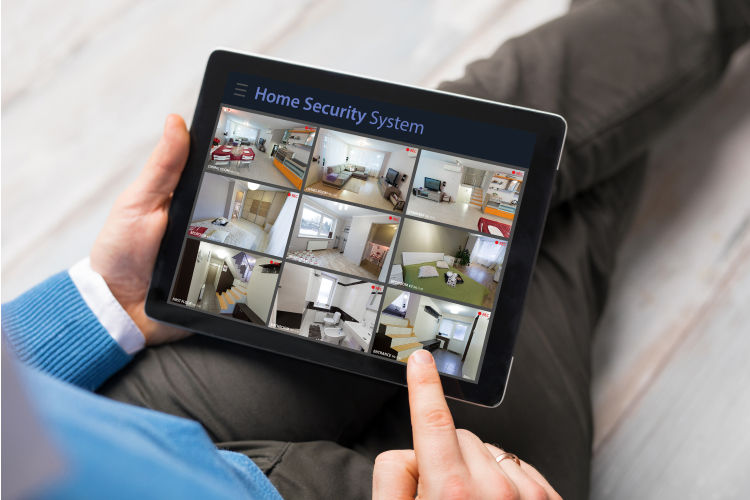
Having a reliable home security system is like password-protecting your devices. You have complete privacy, access, and control at your fingertips. Just as you can manage the internet security of your devices remotely and keep an eye on everything that goes online, home security systems allow you to keep an eye on everything in and around your home.
This resource helps understand how home security systems work, how the role of a good internet service comes into play, and some of the best home security providers to look out for.
What We Discovered
- An advanced home security system may cost you around $150 - $250 and require a speed of 100 Mbps download and 20 Mbps upload speed.
- A smart hub is an essential part of modern security systems that helps you view, manage, and control your smart security devices.
- Internet providers like Xfinity, Cox, and Mediacom offer home security systems that you can add to your internet plan for bundled services.
What is Home Security and How Does It Work?
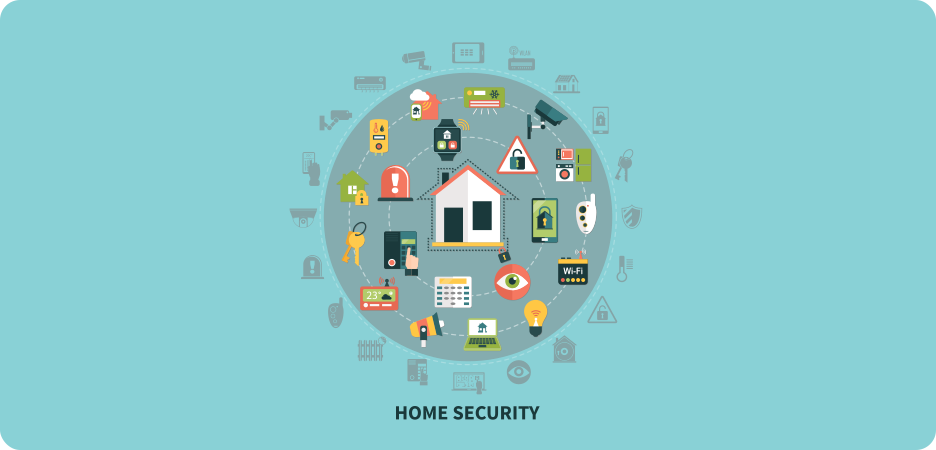
A home security system is a combination of devices such as sensors, cameras, and alarms that help you monitor and protect your home from any unforeseen incidents, such as burglary, unwanted entry, or natural threats like smoke and fire.
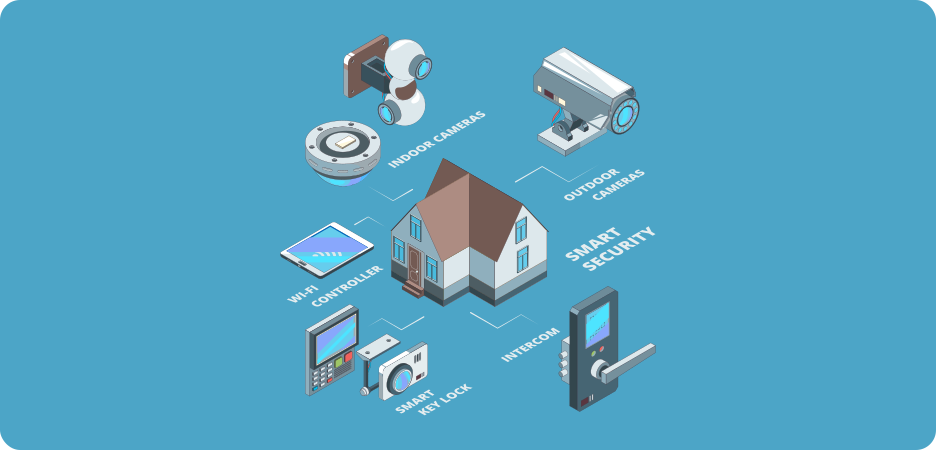
Through sensors on entry points, like the porch or main door, you can be alerted or notified of someone approaching or moving around your home. From cameras installed around these points, connected to your phone or TV, you can view who is outside and whether you want to let them in.
One common element that all these security devices require is a connection to the high-speed internet that will help data from these devices be received on your phone or any device you have connected for surveillance. Through a live connection, you can view activity, monitor security, and even remotely access them to prevent any impending harm.
How to Get a Home Security System on a Budget?
Home security systems can be really costly if bought alone. Average home security plans in the U.S start from around $150 - $25. However, there is a hack. You can bundle your home security service with your internet plan if your provider is offering both services, and save on your overall cost.
Internet providers that do offer home security solutions provide equipment that is compatible with their internet as well. With integrated apps/control hubs, you can conveniently manage your internet and home security through a single application.
If you’re looking to bundle your internet plan with a home security one, check out our suggestions below:

Xfinity Home Security
Home Security starting at:$45/mo.
Includes $10/mo. auto-pay & paperless bill discount. Equipment sold separately. Pricing subject to change. Taxes and fees extra.
Cox Homelife
Internet+ Panoramic WiFi+ Homelife Starting at:$85/mo.
for 12 mos. w/ 1-yr. term agrmt.
Mediacom Digital Home
Home Automation:$10/mo.
$35/mo.
Must-Have Home Security Devices for Complete Home Protection
There are several categories of devices that work together to provide total home protection. One of the most important ones is the hub, or the control center that connects all security devices through your WiFi.
Control Hub/Automatic Devices
The control hub, or automation device, mainly provides management controls that allow you to monitor, control, and access all your connected security devices. This control panel enables you to remotely operate devices such as alarms, sensors, and cameras, and requires an internet connection to send and receive data among these devices. A good example of a control hub is the app provided by your internet or home security provider that lets you manage everything.
Through the app, you can connect or disconnect devices, activate or deactivate alarms, view live video from cameras installed outside your home, and operate smart door handles conveniently.
Intrusion Detection Devices
Intrusion detection devices include:
- Window or door sensors – notify you when activity is sensed around the door or window so you can check your cameras and be alerted.
- Motion detectors – identify unusual movements around your home and alert you in case any action is required.
- Smart doorbells – allow you to view and communicate with anyone at your doorstep remotely.
- Video cameras – constantly record and display activity surrounding your home or wherever they are installed.
Hazard Protection Devices
Hazard protection devices, such as smoke or carbon monoxide detectors, alert you by identifying an unusual increase in normal air levels so you can timely prevent a hazard. Your smart hub notifies you even when you’re away from home by sending an alert or warning so you can act and avoid any damage to your home.
How Much Internet Speed Do You Need for a Home Security System?
An advanced home security system requires a download speed of 100 Mbps and an upload speed of at least 20 Mbps to work smoothly.
Pro Tip: If you have a larger home with security devices like cameras on the porch, you should add a WiFi extender for wider coverage.
Do You Really Need a Security System for Your Home?
Having a security system has become essential in today’s day and age, where most homes are left empty for one part of the day. Remotely accessible security systems allow us to manage and keep an eye on our pets or empty homes, and allow us to feel worry-free at all times. For elderly people, security systems help monitor with little to no movement, making it very convenient for them to look after their homes. Since we’re lucky enough to exist in a technologically advanced, artificial intelligence-powered world, why not make the best use of it?
Ready to get the best deals for internet and security? Talk to us today!
Frequently Asked Questions
Do I need WiFi for my security system to work? ![faq arrow icon]()

Yes, most modern security systems require WiFi that connects security devices such as cameras, doorbells, and sensors to your smart hub/app that alerts and notifies you for safety.
Do I need WiFi for my security camera? ![faq arrow icon]()
Yes, you will need to plug in your camera to the power supply and connect it to the WiFi to get a live video stream of your whereabouts.
How much do I need to spend on a home security system? ![faq arrow icon]()
The cost of a home security system typically ranges from $100 to $150. Basic monitoring may cost you around $30 to $60/mo.; however, advanced systems with multiple devices cost more.
Table of content
 Detailed Provider Comparisons
Free On-Call Consultation
Top Internet Deals
Recent Articles
How to Speed Up Cable Internet?
Discover ways to optimize and improve the performance of your cable internet as recommended by industry experts
Read more
Best Modem for Cable Internet - Complete Guide
Check out our list of best modems for cable internet for optimized internet performance
Read more
What is Cable Internet & How is it Different from Others?
Discover all about cable internet and learn how it compares to other connection types
Read more
Best Modem-Router Combos for Cable Internet
Check out our roundup of the best modem-router combos for cable internet for better and solid internet performance
Read more
Table of Content